Panth Softech Team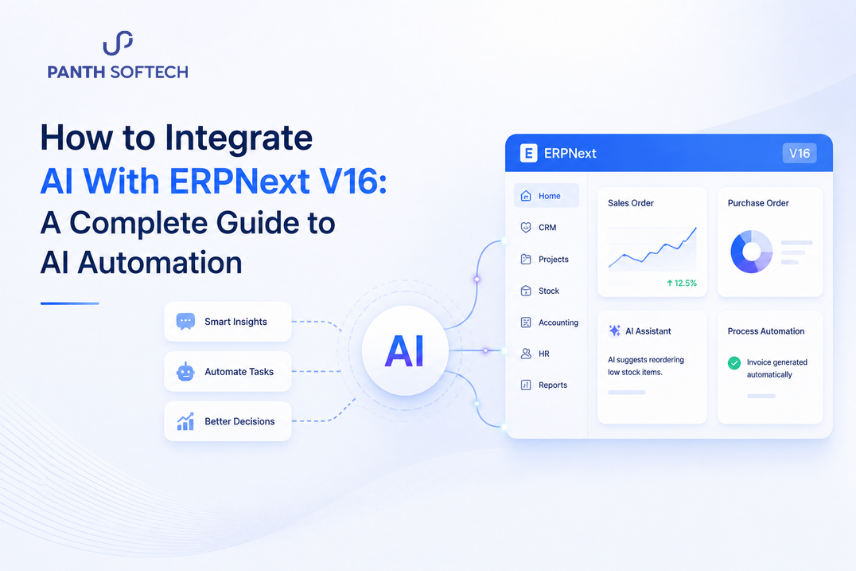
Businesses today manage large amounts of data across sales, accounting, inventory, customer service, HR, and operations. While ERPNext V16 brings these functions together in one platform, many processes still require manual analysis, communication, and decision-making. Integrating artificial intelligence (AI) with ERPNext can help businesses automate repetitive tasks, understand business data faster, and create more efficient workflows.
From AI chatbots and automated reporting to AI agents, predictive analytics, and retrieval-augmented generation (RAG), organizations can use different AI technologies based on their specific needs. This guide explains how AI can be integrated with ERPNext V16, the most useful use cases, available integration methods, implementation steps, security considerations, and best practices for building an AI-powered ERP environment.
What Is AI Integration With ERPNext V16?
AI integration with ERPNext means connecting artificial intelligence technologies with ERPNext so AI can interact with approved business data and support specific business processes.
ERPNext manages information across areas such as:
- Customer and supplier records
- Sales orders and invoices
- Purchase transactions
- Inventory data
- Employee information
- Accounting records
- Projects and tasks
- Customer interactions
- Business reports
AI can use relevant information from these areas to perform tasks that would otherwise require significant manual effort.
For example, an AI chatbot could help employees find the status of a customer order, while an AI-powered reporting system could summarize sales and inventory information. Similarly, machine learning models can analyze historical data to identify demand patterns.
The result is an AI-powered ERPNext environment where employees can spend less time searching, reviewing, and processing information manually.
Why Integrate AI With ERPNext V16?
ERPNext provides a centralized system for managing business operations, but employees still need to interpret information and carry out many repetitive activities. AI adds an intelligent layer on top of these existing processes.
With ERPNext AI automation, businesses can:
- Automate repetitive administrative tasks
- Summarize business data and reports
- Answer employee and customer questions
- Analyze large amounts of ERP data
- Categorize and route requests
- Identify patterns and unusual changes
- Support demand and inventory planning
- Assist with business decision-making
- Improve customer support workflows
The objective is not to replace ERPNext or human employees. Instead, AI can help employees work with business information more efficiently while keeping people involved in important decisions.
How Does AI Integration With ERPNext Work?
A typical AI integration includes several components working together.
1. ERPNext V16
ERPNext acts as the central business system. It stores information related to sales, CRM, inventory, accounting, purchasing, HR, projects, and other business functions.
2. ERPNext API
The ERPNext API integration allows external applications and AI services to communicate with ERPNext.
For example, an AI application may retrieve permitted customer or order information from ERPNext or create a record after receiving the required authorization.
3. AI Model
The AI model processes information and generates an output.
Depending on the business requirement, this could involve a large language model (LLM), generative AI, machine learning model, or another AI technology.
4. Integration Layer
The integration layer connects ERPNext with the AI application. It can involve custom applications, APIs, middleware, webhooks, or other integration mechanisms.
5. Business Workflow
Finally, the AI capability needs to connect to an actual business process.
For example:
Customer question → AI chatbot → Permission check → ERPNext data → AI-generated response
Or:
Sales data → AI analysis → Demand prediction → Inventory planning
This architecture allows businesses to add AI to existing ERPNext processes instead of creating completely separate systems.
ERPNext V16 AI Integration Architecture
A simplified architecture for an AI-powered ERPNext environment can look like this:
User / Employee
↓
AI Chatbot or AI Agent
↓
AI Application / Integration Layer
↓
Authentication & Permission Check
↓
ERPNext API
↓
ERPNext V16
↓
Sales | CRM | Inventory | Accounting | HR | Projects
For knowledge-based applications, a RAG layer can also be included:
ERPNext Data + Business Documents
↓
Retrieval / RAG Layer
↓
AI Model
↓
Relevant Response or Recommendation
The exact architecture depends on the business process, type of AI application, data requirements, security controls, and level of automation.
AI Technologies That Can Be Integrated With ERPNext
Different AI technologies are suitable for different ERPNext use cases.
Large Language Models (LLMs)
LLMs can process natural-language requests and generate useful responses.
They can support:
- Employee assistants
- Business queries
- Report summaries
- Customer communication
- Internal knowledge search
Generative AI
Generative AI with ERPNext can help create text-based outputs from business information.
Examples include:
- Sales summaries
- Customer response drafts
- Business reports
- Email drafts
- Management summaries
Retrieval-Augmented Generation (RAG)
RAG allows an AI system to retrieve relevant information from approved sources before generating an answer.
With ERPNext, RAG can be used with:
- Business policies
- SOPs
- Product information
- Internal documentation
- Approved ERP records
This can make responses more relevant to a company’s own information rather than relying only on the AI model’s existing knowledge.
AI Agents
AI agents can perform multi-step tasks based on defined objectives. For example, an AI agent could review a customer request, retrieve relevant ERPNext records, prepare a response, request approval, and then trigger an authorized action.
Machine Learning
Machine learning is useful when businesses need predictions or pattern analysis rather than conversational responses.
Possible applications include:
- Demand forecasting
- Sales prediction
- Inventory analysis
- Customer behavior analysis
- Anomaly detection
7 Ways to Use AI With ERPNext V16
1. AI Workflow Automation
AI can add intelligence to existing ERPNext workflows by interpreting information and helping determine the appropriate next step.
For example, an AI-powered workflow could:
- Categorize incoming requests
- Identify priority levels
- Summarize customer messages
- Route tasks to the appropriate team
- Generate draft responses
- Recommend workflow actions
Human approval can remain part of the process when decisions have financial, legal, or operational consequences.
2. AI Chatbot for ERPNext
An AI chatbot for ERPNext can provide employees or customers with a simpler way to access permitted information.
For example, an employee could ask:
“What is the status of this customer’s latest order?”
The chatbot can validate the user’s access, retrieve the relevant ERPNext information, and provide a concise response. Internal chatbots can also help employees find information about inventory, orders, business processes, and reports.
Access control is essential. The chatbot should only expose information that the user is authorized to access.
3. AI Agents for ERPNext
AI agents can go beyond answering questions by performing a sequence of connected tasks.
A possible workflow could be:
- Receive a customer request.
- Identify the relevant customer.
- Retrieve permitted ERPNext records.
- Analyze the information.
- Prepare a response or recommendation.
- Request human approval when required.
- Perform an authorized ERPNext action.
The level of automation should depend on the sensitivity of the task and the permissions available to the AI system.
4. RAG + ERPNext
RAG is useful when employees need answers based on company-specific information.
For example, an employee could ask:
“What is our process for handling delayed purchase orders?”
The RAG system can retrieve the relevant company policy or documentation and generate an answer based on that information.
This approach can be especially useful for internal knowledge assistants where accuracy depends on current company documentation.
5. Automated Business Reporting
ERPNext generates information across many business functions. AI can help turn this information into concise summaries.
A management summary could cover:
- Sales performance
- Inventory changes
- Outstanding invoices
- Purchase activity
- Customer trends
- Project status
Users can still access the original ERPNext reports when they need to verify the underlying information.
6. Customer Support Automation
Customer service teams often spend time answering repetitive questions. AI can help classify customer queries, retrieve relevant information, prepare responses, and route complex issues to employees.
A typical process could be:
Customer query → AI classification → ERPNext lookup → Suggested response → Human review
When connected properly, the system can provide more contextual responses using permitted customer or order information.
7. Inventory and Demand Analysis
AI can analyze historical sales and inventory information to support demand planning.
It may help identify:
- Products with increasing demand
- Slow-moving inventory
- Potential stock shortages
- Seasonal demand patterns
- Unusual sales changes
The results can support purchasing and inventory decisions while employees retain control over final actions.
AI Use Cases Across ERPNext Business Modules
AI can be applied across different ERPNext business functions.
| ERPNext Area | Potential AI Applications |
| Sales | Sales summaries, lead analysis, customer insights |
| CRM | Query classification, customer assistance |
| Accounting | Invoice processing, financial summaries |
| Inventory | Demand forecasting, stock analysis |
| Purchasing | Supplier analysis, purchase insights |
| HR | Employee knowledge assistants, document summaries |
| Projects | Task and project status summaries |
| Customer Service | Query classification and response assistance |
| Management | AI-generated business reports and insights |
The best opportunity usually comes from starting with a specific process where automation can produce a measurable improvement.
ERPNext AI Integration Methods
There are several ways to connect AI technologies with ERPNext.
ERPNext REST API
The API approach works well when an external AI application needs to retrieve or exchange ERPNext data.
It can be suitable for:
- AI chatbots
- External AI applications
- Data retrieval
- Automated workflows
Custom ERPNext App
A custom application can provide deeper integration with ERPNext and is useful when AI functionality needs to become part of the ERP environment itself.
Middleware
Middleware can be useful when ERPNext needs to communicate with multiple external systems, AI services, or business applications.
It can provide a central integration layer for more complex workflows.
Webhooks and Event-Based Integration
Webhooks can trigger AI processes when specific events occur.
For example:
New customer request → ERPNext event → AI processing → Suggested action
The appropriate integration method depends on the complexity of the workflow, required level of control, data flow, and existing technology environment.
How to Integrate AI With ERPNext V16 Step by Step
Step 1: Identify the Business Process
Start with a clear business problem rather than choosing an AI technology first.
Look for processes that are:
- Repetitive
- Time-consuming
- Data-heavy
- Rule-based
- Dependent on information spread across multiple systems
Common starting points include customer support, report generation, invoice processing, inventory analysis, and internal knowledge search.
Step 2: Define the Required Data
Determine exactly what information the AI system needs.
For example, an order-status assistant may require access to customer records, sales orders, delivery information, and related documents.
Only provide the data required for the specific task.
Step 3: Select the AI Technology
Choose the technology based on the business requirement.
You may need:
- An LLM for natural-language tasks
- Generative AI for content and summaries
- RAG for business knowledge retrieval
- AI agents for multi-step workflows
- Machine learning for predictions
- A chatbot framework for conversational interfaces
Avoid using complex AI architecture when a simpler solution can solve the problem.
Step 4: Connect ERPNext Through APIs
Connect ERPNext with the AI application using appropriate APIs or integration mechanisms.
Authentication and permissions should be configured carefully so the AI application receives only the information and access it actually requires.
Step 5: Build the AI Workflow
Define what should happen when the AI receives information.
For example:
User question → Validate user → Retrieve ERPNext data → AI processing → Generate response → Display result
For automated actions, include approval steps where necessary.
Step 6: Test With Realistic Scenarios
Test the integration with normal requests as well as edge cases.
Check whether the AI:
- Retrieves the correct information
- Understands user questions
- Produces reliable responses
- Handles missing information
- Respects access permissions
- Avoids unauthorized actions
Testing becomes especially important when AI interacts with financial, customer, employee, or operational data.
Step 7: Monitor and Improve
AI integration should be continuously evaluated after launch.
Monitor:
- Response accuracy
- Workflow errors
- User feedback
- Failed requests
- Unauthorized access attempts
- Areas requiring human intervention
Use these insights to improve prompts, workflows, data retrieval, permissions, and the overall integration.
Looking to automate a specific ERPNext process with AI? Panth Softech can help evaluate your workflow, identify suitable AI opportunities, and design an integration based on your business requirements.
Example: AI Customer Support With ERPNext
Consider a business that receives frequent customer questions about order status.
A simple AI-powered workflow could work like this:
- Customer asks a question
“Where is my order?” - AI identifies the request
The system determines that the customer is asking about an order status. - Customer verification
The system verifies the customer and checks what information can be accessed. - ERPNext lookup
The integration retrieves the relevant order and delivery information. - AI processing
The AI converts the ERPNext information into a clear response. - Response
The customer receives the order status. - Human escalation
If the information is unavailable or the request requires employee involvement, the conversation can be routed to a support representative.
This type of workflow demonstrates how AI can work alongside ERPNext without requiring every customer interaction to be handled manually.
Security and Data Privacy Considerations
ERPNext can contain sensitive business information, so security should be considered before connecting AI services.
Important considerations include:
Role-Based Access
AI applications should respect ERPNext user roles and permissions.
Least-Privilege Access
Give the AI system only the access required to perform its intended task.
Authentication
Use appropriate authentication mechanisms for communication between ERPNext and external AI services.
Data Protection
Sensitive business information should be handled carefully throughout data transfer, processing, storage, and logging.
Human Approval
Financial transactions, important approvals, and other sensitive actions should generally include appropriate human oversight.
Auditability
Where possible, maintain logs of AI requests, retrieved information, recommendations, and actions so unusual behavior can be investigated.
Security should be designed into the integration from the beginning rather than added after the system is deployed.
Benefits of ERPNext Business Automation With AI
When implemented around the right processes, AI can provide several practical benefits.
Reduced Manual Work
Employees can spend less time searching for information, preparing summaries, and handling repetitive requests.
Faster Access to Information
Natural-language interfaces can make business information easier to access without requiring users to navigate multiple ERP screens.
Improved Workflow Efficiency
AI can help classify information, route requests, summarize data, and support workflow decisions.
Better Decision Support
AI can identify patterns and present business information in a more accessible format for decision-makers.
Improved Customer Experience
AI-powered support can provide faster responses to common questions while complex issues can still be handled by employees.
Scalable Automation
As transaction volumes grow, AI can help automate selected processes without requiring the same increase in manual effort.
Challenges of AI Integration With ERPNext
AI integration also comes with challenges that businesses should consider before implementation.
Data Security
ERP data can contain sensitive customer, financial, and operational information. Access must be controlled carefully.
AI Accuracy
AI can generate incorrect or incomplete information. Important business decisions should not rely blindly on AI-generated output.
Integration Complexity
Connecting AI with ERPNext may require careful planning around APIs, authentication, data structures, permissions, and workflows.
Cost
Development, AI model usage, infrastructure, monitoring, maintenance, and security can all contribute to the overall cost.
User Adoption
Employees need to understand how the AI system works and when they should verify its output.
ERPNext AI Integration Cost
There is no single cost for AI integration with ERPNext because each implementation depends on the business requirements.
Factors that can affect the cost include:
- Number of ERPNext modules involved
- Integration complexity
- AI model or API usage
- RAG requirements
- Custom development
- Number of users
- Infrastructure and hosting
- Security requirements
- Monitoring and maintenance
A basic AI chatbot may require a very different investment compared with an enterprise AI agent that can interact with multiple ERPNext workflows.
The best approach is to define the business process first and then estimate the technology and development requirements.
Best Practices for AI-Powered ERPNext Integration
A few practices can make an AI integration more reliable and easier to scale.
- Start small: Begin with one high-value process and expand after measuring the results.
- Keep humans in the loop: Use appropriate approval steps for financial, legal, or sensitive operations.
- Protect ERP data: Apply authentication, role-based permissions, and least-privilege access.
- Use reliable business data: AI output depends heavily on the quality and relevance of the information available to the system.
- Monitor performance: Track accuracy, errors, response quality, and user feedback.
- Design for scalability: Build the integration so additional AI use cases can be added without redesigning the entire system.
- Measure business impact: Evaluate improvements in processing time, manual effort, response speed, accuracy, or other relevant KPIs.
The Future of AI and ERPNext
AI is changing how businesses interact with ERP systems. Instead of using ERP software only to store and display information, organizations can increasingly use natural-language interfaces, intelligent assistants, predictive analytics, and automated workflows.
Future AI-powered ERPNext applications may include:
- More capable AI assistants
- Intelligent workflow automation
- Predictive business analytics
- AI agents for multi-step operations
- Personalized business insights
- Automated report interpretation
- More natural interactions with ERP data
However, successful automation is not simply about adding AI to an ERP system. The real value comes from connecting the right data to the right workflow and defining where AI should assist, recommend, or act.
Final Thoughts
AI integration with ERPNext V16 can help businesses automate repetitive processes, access information faster, improve workflows, and make better use of their ERP data. From an AI chatbot for ERPNext and automated reporting to AI agents, RAG-based knowledge systems, predictive analytics, and intelligent workflows, there are many ways to introduce AI into an ERP environment.
The most effective approach is to start with a specific business problem, identify the required data, choose the appropriate AI technology, connect it securely with ERPNext, and measure the results before expanding to additional use cases.
If you are planning ERPNext AI integration or want to automate existing business workflows with AI, Panth Softech can help you identify the right use cases, design the integration architecture, and build an AI-enabled ERP environment around your business requirements.
Ready to make your ERPNext system smarter and more automated? Contact Panth Softech to discuss your AI and ERPNext integration requirements.
FAQs About Integrate AI With ERPNext V16
1. Can ERPNext V16 be integrated with AI?
Yes. ERPNext can be connected with AI applications through APIs and other integration mechanisms. The specific implementation depends on the business process and AI use case.
2. How can AI be used with ERPNext?
AI can support chatbots, workflow automation, reporting, customer support, demand analysis, knowledge retrieval, and multi-step AI agents.
3. Can I build an AI chatbot for ERPNext?
Yes. An AI chatbot can be connected to permitted ERPNext data to help employees or customers access relevant information through natural-language queries.
4. Can AI agents perform actions in ERPNext?
AI agents can be designed to perform authorized ERPNext actions. For sensitive operations, human approval and appropriate permission controls should be included.
5. Can RAG be used with ERPNext?
Yes. RAG can retrieve relevant business documents, policies, product information, or approved ERP data before generating an AI response.
6. Is ERPNext AI integration secure?
It can be designed securely by applying authentication, role-based access, least-privilege permissions, data protection, logging, and human approval for sensitive operations.
7. How much does ERPNext AI integration cost?
The cost depends on the complexity of the integration, number of ERPNext modules, AI technology, development requirements, infrastructure, users, security, and ongoing maintenance.
8. Which ERPNext modules can use AI?
AI can potentially support areas such as sales, CRM, accounting, inventory, purchasing, HR, projects, customer service, and management reporting.