Panth Softech Team
Businesses often manage finance, inventory, sales, procurement and day‑to‑day operations with programs. As tasks grow more complicated these isolated systems can generate data requiring manual sign‑offs and produce reporting that does not match. Enterprise Resource Planning software can bring all these functions into one place. The out‑of‑the‑box features may not fit every need.
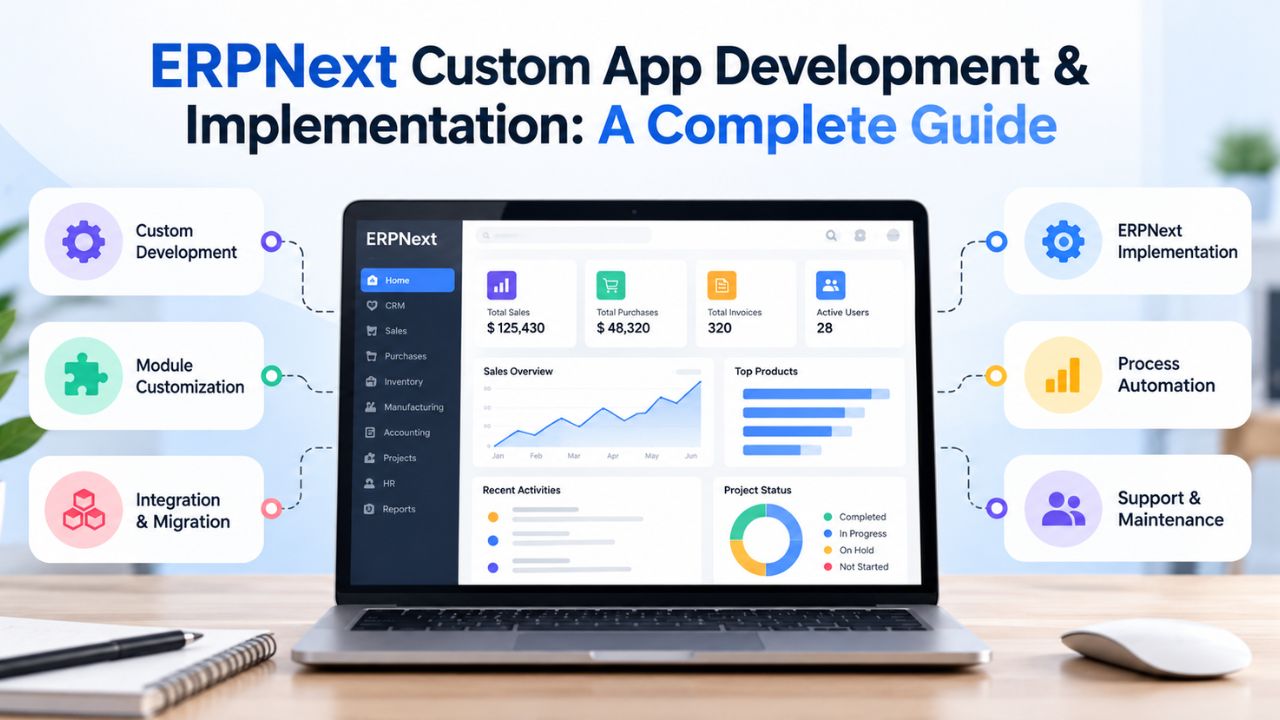
ERPNext custom app development lets a business add custom tools, automate flows and link programs while keeping the core ERP system intact. When added to a well‑planned ERPNext rollout this approach helps a company create an ERP environment that matches its processes, data needs and current software.
In this guide I will explain how ERPNext development operates, when a business needs to customize what common problems arise during implementation and how to pick a development partner.
Understanding ERPNext Development and Custom Applications
ERPNext development involves configuring, extending, and integrating the open-source ERP platform to support specific business operations. Built on the Frappe Framework, ERPNext provides standard modules for accounting, purchasing, selling, inventory, manufacturing, human resources, and other business functions.
The work needed can go from setting up existing modules to writing whole new applications in Frappe. Building a custom ERPNext module might mean making DocTypes writing rules, setting up approval steps, designing reports, creating APIs and building user screens. For involved extensions it is best to bundle the code inside a custom Frappe application, which helps keep the system tidy and makes deployment easier.
The appropriate approach depends on the business requirement:
| Development approach | Suitable requirement |
| Standard ERPNext configuration | Adjusting existing settings, roles, and workflows |
| Form customization | Adding fields, layouts, and validation requirements |
| Custom module development | Building functionality for specialized operations |
| Custom Frappe app | Developing more extensive business functionality |
| ERPNext integration | Connecting ERPNext with external business systems |
Why ERPNext Development Matters for Business Operations
ERPNext gives a single platform to manage all business tasks yet many companies run processes that do not match the standard ERP flows. A manufacturing firm might need production approval steps while a distributor could require unique inventory rules or connections to outside ordering sites.
Custom ERPNext services let a company meet these needs without making every team change its work to fit generic software. When the development is planned carefully it can bring consistency, cut out steps and let all teams see the same operational data.
Business requirements commonly addressed through ERPNext development include:
- Workflow automation: Configure approvals, notifications, and business rules to reduce manual coordination.
- System integration: Connect ERPNext with eCommerce platforms, payment systems, CRM applications, and external APIs.
- Custom reporting: Develop role-specific dashboards and reports for operational monitoring.
- Process standardization: Establish consistent procedures across departments and business locations.
- Application extensibility: Add specialized functionality while keeping custom code appropriately separated from standard ERPNext components.
ERPNext for Manufacturing: Managing Business Operations in One Platform
Manufacturing companies often use separate systems for procurement, inventory, production planning, quality control, and financial reporting. This makes it difficult to track material availability, production progress, and operational costs. ERPNext for manufacturing brings these functions into a centralized ERP platform, allowing departments to work with connected business data.
For example, an automotive components manufacturer can use ERPNext to manage the entire process, from receiving a customer order to purchasing raw materials, scheduling production, inspecting finished components, and generating invoices.
| Business operation | How ERPNext supports it |
| Sales Order Management | Records customer orders and connects demand with production planning. |
| Inventory Management | Tracks raw materials, work-in-progress, and finished goods across warehouses. |
| Procurement | Manages material requests, purchase orders, suppliers, and purchase receipts. |
| Production Planning | Uses bills of materials (BOMs) and work orders to plan manufacturing activities. |
| Quality Control | Records inspections and checks product quality at defined production stages. |
| Financial Management | Connects accounting transactions, purchasing costs, sales invoices, and reporting. |
| Reporting and Analytics | Provides visibility into inventory, production activity, and operational performance. |
These capabilities are supported by ERPNext’s manufacturing and related business modules.
When standard workflows do not meet specific manufacturing requirements, ERPNext custom app development can extend the platform with production approval workflows, specialized shop-floor dashboards, equipment data integrations, or custom reporting. This helps manufacturers manage connected operations within one system while accommodating industry-specific processes.
How ERPNext Custom App Development and Implementation Work
A successful ERPNext implementation requires more than installing the platform and enabling business modules. The development process should connect operational requirements with system architecture, data preparation, customization, testing, and deployment.
Following a structured workflow helps teams control development scope, identify dependencies, and reduce implementation risks.
1. Business Requirements and Process Scoping
The process begins with reviewing business workflows, user responsibilities, existing applications, and reporting needs. Development teams identify which requirements standard ERPNext can support and which require configuration, custom applications, or third-party integrations.
2. Development, Staging, and Production Environment Setup
Separate development, staging, and production environments help teams manage changes without disrupting active business operations. Developers build and validate custom functionality before deployment, using version control, configuration management, and documented release procedures to maintain consistency.
3. ERP Configuration and Data Migration
This stage covers module configuration, user permissions, business rules, and migration of existing records. Data mapping, cleansing, validation, and trial imports help identify discrepancies before transferring approved financial, inventory, customer, and operational data into ERPNext.
4. Agile Development Sprints and Quality Testing
Custom functionality is developed through planned iterations with defined acceptance criteria. Developers and business stakeholders review features, validate workflows, and test integrations. User acceptance testing confirms that completed functionality supports operational requirements before production deployment.
Common ERPNext Implementation Challenges and How to Avoid Them
ERPNext implementations can encounter difficulties when business requirements, existing system dependencies, or data conditions are not evaluated before development. These issues may delay deployment, increase rework, or affect application reliability after launch.
Several common implementation risks require particular attention:
| Implementation challenge | Business impact | Recommended approach |
| Unclear project requirements | Scope changes and development delays | Document workflows and acceptance criteria |
| Excessive customization | Higher maintenance and upgrade complexity | Prioritize standard features before custom development |
| Inconsistent legacy data | Duplicate or inaccurate ERP records | Clean, map, and validate data before migration |
| Poor integration planning | Failed synchronization between business systems | Define API contracts and error-handling requirements |
| Insufficient user testing | Workflow issues after deployment | Conduct role-based user acceptance testing |
| Limited user training | Low adoption and incorrect system usage | Provide workflow documentation and practical training |
| Direct changes to core code | Increased risk during ERPNext upgrades | Use supported Frappe extension mechanisms |
Businesses should also plan for security, access control, backup procedures, and post-deployment support. These activities are part of operational readiness, not optional tasks to address after the ERP system goes live.
5 Signs Your Business Needs Custom ERPNext App Development
Standard ERPNext functionality can support many common business processes. However, additional development may be necessary when operational requirements cannot be addressed effectively through configuration alone.
The following indicators can help determine whether your organization needs ERPNext custom app development:
- Your workflows require repeated manual workarounds. Employees export data to spreadsheets, perform calculations outside ERPNext, or manually update records because existing workflows do not support required business rules.
- Your organization manages specialized processes. Manufacturing, distribution, healthcare, or other industry-specific operations require additional data structures, validations, approval sequences, or operational functionality.
- Your business applications are disconnected. Information must move between ERPNext, customer platforms, inventory tools, payment services, or other software without relying on repeated manual entry. This may require dedicated ERPNext integration services.
- Standard reporting does not meet decision-making needs. Business teams need custom dashboards, consolidated operational views, or reports that combine information from multiple ERP modules and external systems.
- Existing customizations are difficult to maintain. Business-critical extensions create problems during testing, deployment, or upgrades, indicating a need for improved application architecture and code management.
Not every limitation requires building a new application. A technical assessment should first determine whether the requirement can be solved through configuration, workflow changes, supported extensions, or integration.
How to Select an ERPNext Development and Implementation Partner
Choosing an ERPNext development company requires evaluating technical capabilities, implementation methodology, and experience with business process integration. The provider should understand both Frappe application development and the operational requirements behind the ERP project.
Before selecting a development partner, assess the following criteria:
- ERPNext and Frappe expertise: Experience with Python, JavaScript, DocTypes, custom apps, hooks, APIs, and permission management.
- Implementation methodology: A defined approach to requirement analysis, configuration, development, testing, migration, and deployment.
- Customization strategy: Ability to distinguish standard configuration from requirements that justify custom development.
- Integration capabilities: Experience connecting ERP systems with third-party platforms through documented APIs and data synchronization.
- Upgrade compatibility: Development practices that reduce unnecessary modifications to ERPNext core components.
- Security and testing: Role-based access controls, test environments, code review, and business workflow validation.
- Post-implementation support: Defined arrangements for issue resolution, maintenance, documentation, and future enhancements.
Businesses should also request relevant implementation examples, understand project responsibilities, and clarify the ownership of custom source code and technical documentation.
Plan Your ERPNext Custom App Development with Panth Softech
Your ERP system should support the way your organization operates, from daily transactions to reporting and application integrations. Whether you are planning a new ERPNext implementation, extending existing modules, or integrating external applications, the first step is defining your technical and business requirements.
Panth Softech works with organizations on enterprise software development, business automation, custom applications, and systems integration. Share your ERPNext requirements with our team to discuss the project scope, required capabilities, and an appropriate development approach.